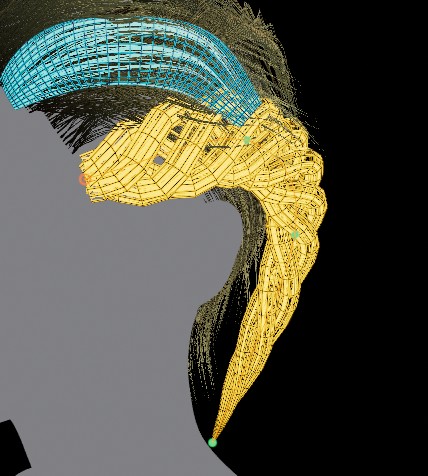
Download hair card tool for Windows
The lifetime Free Tier includes procedural strand creation, all 11 modifier kernels, and texture baking up to 2K. The UV Cards, 3D Grooming, and 4K bake features unlock with a paid license.
HairStorm for Windows
The Windows installer link is not configured in this deployment
(PUBLIC_INSTALLER_URL is unset). Contact support for the
current build while the release pipeline is finalized.
Launch & Activation: After installation, launch HairStorm. Choose Start Free for instant offline access, or enter your purchased license key to unlock 4K bakes, UV card strip generation, and 3D scalp grooming.
Already have a license key? Manage machine activations in the Customer Portal.
| Component | Minimum | Recommended |
|---|---|---|
| OS | Windows 10 (64-bit) | Windows 11 (64-bit) |
| GPU | NVIDIA GTX 1060 / AMD RX 580 | NVIDIA RTX 3060+ / AMD RX 6700+ |
| RAM | 8 GB | 16 GB or higher |
| Storage | 500 MB free space | 1 GB SSD storage |
| Display | 1920×1080 | 2560×1440 or 4K |
| Graphics API | Vulkan 1.2+ / OpenGL 4.5 | Vulkan 1.3 with hardware raytracing support |
From installation to baked groom in 3 steps.
- Install & Activate: Run the installer, start with Free or paste your license key. One key binds to one workstation and runs offline.
- Import & Layer: Load a character head (.obj or .fbx), create procedural hair layers, and shape strands with real-time modifier curves.
- Bake & Export: Bake all 13 texture channels up to 4K, generate UV card polygons, groom onto the scalp, and export game-ready assets for Unreal Engine 5, Blender, or Maya.
Detailed guide chapters for each pipeline step are available in the Getting Started Documentation.